|
CAD for leather goods and small leather goods |  |
 |
 |
|
CAD for leather goods and small leather goods | |
|
|
| Mozart | Liszt | Virtual-Design | Support | Contacts |
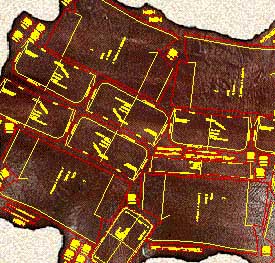
| Mozart is a CAD realized following the requests and
suggestions of leather goods pattern-makers to simplify and expand their work being
them free to design according to their ideas. Mozart requires AutoCAD® or ZWCAD®. The license of Mozart does not include the license of AutoCAD® or ZWCAD® Mozart 8 is available for AutoCAD® up to version 2026 and for ZWCAD® up to version 2025. |
|
Quick learning Built on pattern-makers' requirements Mozart shares his working method giving full liberty to design the model. The pattern-maker can concentrate himself on the model to be realized. He does not have to code the materials or pieces before or during the drawing. Freely customizable The user can easily change many settings of Mozart: colors, the method of calculating the bill of materials and the bill of working times and many other parameters. Mozart can also load and use custom toolbars, scripts and commands written by the user. |
|
|
Flexibility The user is free to choose the names of the patterns and their hierarchy. Each pattern is a single file and Brands, Lines, Seasons etc. can be organized by folders. Each pattern is independent from the others and can be copied or moved in whole or in part from one folder to another like any other file. The bill of materials and the bill of working times can be performed in different ways and the reports are produced as ASCII text or Excel document. |
|
Data exchange The patterns can be read using many others CAD programs. The cutting can be done using a wide range of machines from vertical or flatbed plotters to knife, laser or water-jet cutting machines. The bill of materials, the bill of accessories and the bill of working times can be exported to others data management systems. Development The open structure of Mozart means it can be constantly improved according to users suggestions and requests. The upgrade of Mozart does not oblige the user to upgrade the other components of the CAD system. Plug-ins increase the power and the flexibility of Mozart. |
|
| Plug-ins add specific functions to Mozart. The user himself can write his own plug-ins, Mozart will automatically load them. Plug-ins allow to customize Mozart's installations to the needs of the user and reduce the cost because they avoid the purchase of what is not needed. Users can request the development of personal plug-ins to create special reports or drawing functions. On request personal plug-ins are not available to other users in order to protect their confidentiality. |
After making these changes, you must restart the IIS service for them to take effect. Open a command prompt as an administrator and run: iisreset . This forcibly restarts all IIS services, clearing old cache and applying new configurations.
: Sometimes, the issue may stem from bugs or limitations within the web server software itself, particularly if it's outdated or not properly maintained.
The web server does not recognize .shtml as an executable file type.
: Update file and directory permissions to ensure the server can read and process .shtml files. view shtml fix
If you are managing a website and your .shtml files are suddenly displaying raw HTML code, showing blank pages, or printing error messages like [an error occurred while processing this directive] , you are dealing with a Server Side Includes (SSI) configuration issue.
Because your local browser bypasses a web server, the tags remain unprocessed. To fix this locally, you must run a local development server. Fix 1: Use VS Code Live Server Download . Install the Live Server extension. Open your project folder containing the SHTML files. After making these changes, you must restart the
When a user requests an SHTML page, the server reads the file, processes the include command, inserts the content of header.html , and sends the final, complete HTML page to the browser. If this process fails, the page will not view correctly. Common Reasons Why SHTML Files Won't View Correctly
This tells the browser, "This is a normal HTML page, please render it, not download it." The web server does not recognize
"essay: view shtml fix" typically refers to a troubleshooting step for a specific technical error encountered in web-based essay submission systems or academic platforms like Most Common Fixes If you are trying to view an essay or document that has an
All product names, brand names or trademarks named here belong to their respective holders. |